In this guide, replace **.27** with what version you need. At time of writing, Version **.37** is now out, but **on** and **after** **.29** breaks games such as Unturned with their charsets.
To begin, download the bundle. ```bash wget https://dev.mysql.com/get/Downloads/MySQL-8.0/mysql-server_8.0.27-1ubuntu20.04_amd64.deb-bundle.tar ``` Extract it. ```bash tar -xf mysql-server_8.0.27-1ubuntu20.04_amd64.deb-bundle.tar ``` Install LibSSL otherwise it will fail. ```bash wget http://archive.ubuntu.com/ubuntu/pool/main/o/openssl/libssl1.1_1.1.1f-1ubuntu2_amd64.deb sudo dpkg -i libssl1.1_1.1.1f-1ubuntu2_amd64.deb ``` Install Libaio1 *(Lol - AIO* 😋*)* otherwise it will fail. ```bash wget http://archive.ubuntu.com/ubuntu/pool/main/liba/libaio/libaio1_0.3.110-5_amd64.deb sudo dpkg -i libaio1_0.3.110-5_amd64.deb ``` Install MySQL common. ```bash dpkg -i mysql-common_8.0.27-1ubuntu20.04_amd64.deb ```Without the above being done, it errors out stating it needs MySQL common. If you try to include the package (*./mysql-common....*) with *apt install*, this fails due to it being the "last" package it installs and fails to understand when to install it.
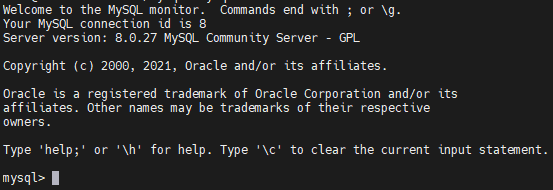
Finally, install MySQL. ```bash apt install --yes --no-install-recommends ./mysql-community-client_8.0.27-1ubuntu20.04_amd64.deb ./mysql-community-client-core_8.0.27-1ubuntu20.04_amd64.deb ./mysql-community-client-plugins_8.0.27-1ubuntu20.04_amd64.deb ./mysql-server_8.0.27-1ubuntu20.04_amd64.deb ./mysql-community-server_8.0.27-1ubuntu20.04_amd64.deb ./mysql-client_8.0.27-1ubuntu20.04_amd64.deb ./mysql-community-server-core_8.0.27-1ubuntu20.04_amd64.deb ``` Enter root password for password authentication or leave blank to just run **mysql** and login with terminal. Choose "Use Strong Password...", as you won't be needing 5.x compatibility.  Complete. Run **mysql**.