# Installing Debian/Ubuntu & Then Disk Unmounts - Debootstrap Error

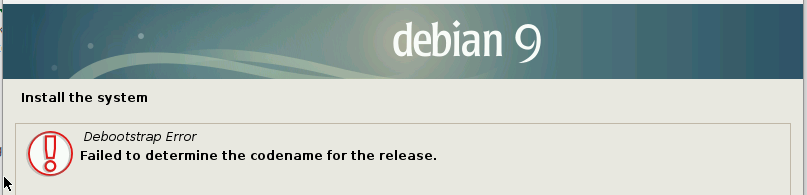
<span style="color: rgb(0, 0, 0);">You're here because you've landed yourself at the error below, stating that it could not find the codename for the release during an installation of Ubuntu or Debian. This is because the CD unmounted during your ISO install, so after provisioning the disks, it's no longer there and cannot continue. Follow below to fix it</span>

<span style="color: rgb(0, 0, 0);">![](https://jasmeow.pics/4WZ7fm.png)</span>

<span style="color: rgb(0, 0, 0);">![image.png](https://docs.jasmeow.systems/uploads/images/gallery/2024-12/scaled-1680-/xLs7qLNInkBtVnGf-image.png)</span>

<span style="color: rgb(0, 0, 0);">Press enter/escape and head back onto the installer page, then going to "Execute a shell".</span>

<span style="color: rgb(0, 0, 0);">![](https://jasmeow.pics/h1ZLsl.png)</span>

<span style="color: rgb(0, 0, 0);">Press continue.</span>

<span style="color: rgb(0, 0, 0);">![](https://jasmeow.pics/Y3Q1ua.png)</span>

<span style="color: rgb(0, 0, 0);">You're now in the BusyBox shell. Type "**blkid**" and find the CD drive. It's got the name of the ISO.</span>

<span style="color: rgb(0, 0, 0);">![](https://jasmeow.pics/stcl2p.png)</span>

<span style="color: rgb(0, 0, 0);">In this example, we can see it has the type **iso9660**, so we know that's the ISO, and the mount is **/dev/sr2**. Now simply mount it! **mount /dev/sr2 /cdrom**.</span>

<p class="callout warning"><span style="color: rgb(0, 0, 0);">Make sure it's **/cdrom** as this is what the installer is looking for.</span></p>

<span style="color: rgb(0, 0, 0);">Type exit then press back on install.</span>

<span style="color: rgb(0, 0, 0);">![](https://jasmeow.pics/RAcUQm.png)</span>

<span style="color: rgb(0, 0, 0);">Job done!</span>

<span style="color: rgb(0, 0, 0);">![](https://jasmeow.pics/qSiNOx.png)</span>