This is not an extensive list by all means and if the troubleshooting steps below haven't helped you solve the issue, feel free to reach out and we can explain further what they mean.
##### **"Server immediately stopping when started"** Several things can cause this. Mighty irritating as they aren't easy to recognize and solve. - **Start** with checking you are running the right Java version as some plugins will not load and instantly thread death causing the main process on final boot to go "Ah, there was an error at the beginning, this was hugely game breaking, I am deciding to stop the server safely." Normally happens between Java 8 to 11 and Java 16 to 17. Make sure you run the right one and try the others if it won't start. - **Next**, look at your console on start up. Do you have any plugins that are completely dying due to "Zip file closed" or needing a license? There's your issue as these normally tell the server to stop. - **Thirdly**, If you just added some plugins or features - Roll them back. This is probably what is causing it. Sometimes developers add features which require a license check, IP whitelist or outright configuration changes that warn in console to "update/configure" and stop the server thread process. This can also be caused by a protection plugin halting the server process such as AntiBackdoor or you trying to load the MC server on a older version than the world was loaded in, and it instantly halts world loading. - **Still not solved?** Your final step is to follow the "take a backup, plugins removal and add a few at a time" trick. [Follow this information](https://docs.jasmeow.systems/link/71#bkmrk-you-can-join%3A) to walk you through these steps if you are unsure what this means. --- ##### **"...ByteArray with size X is bigger than the allowed X"** ##### **"...Packet X was larger than I expected, found X bytes extra..."** ##### **"IndexoutOfBoundsException: Index X out of bounds for length X"** ##### **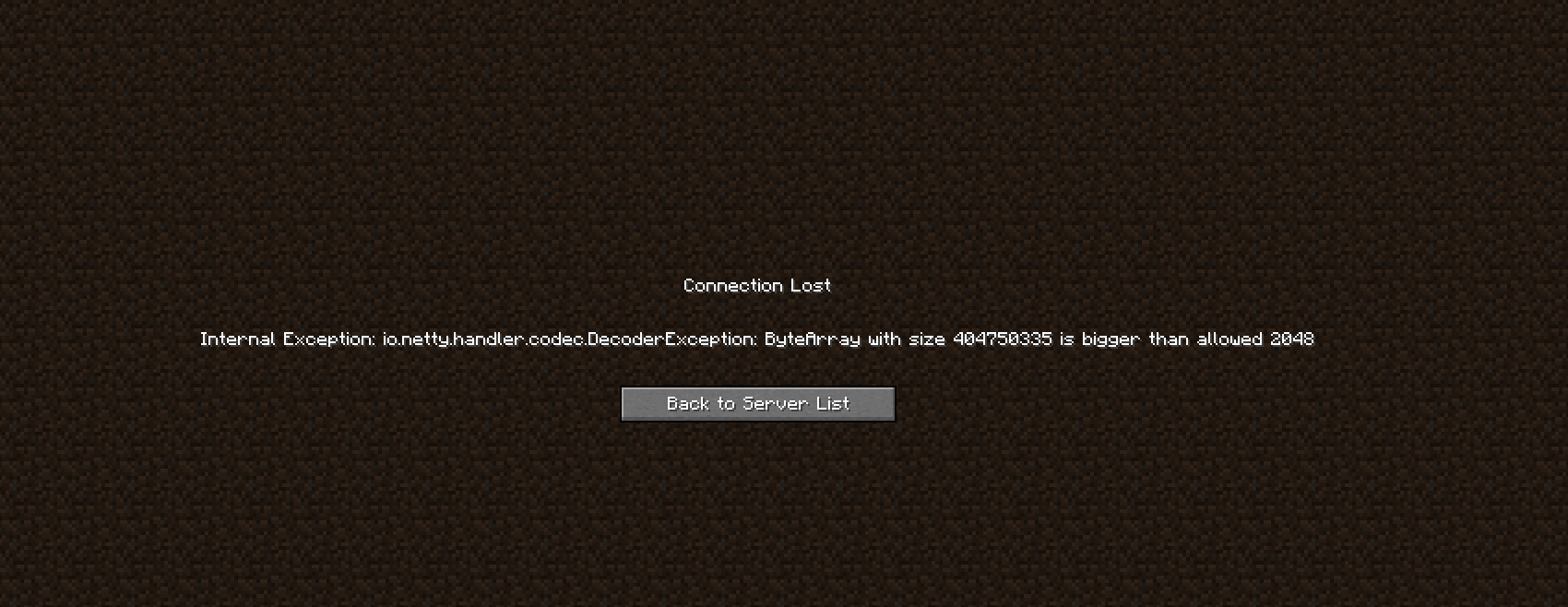** **** 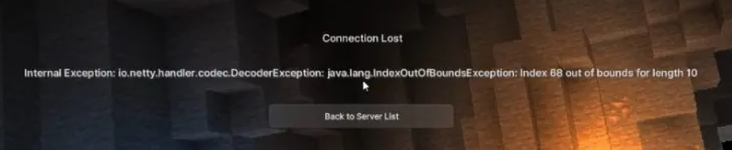 This error is a relatively easy one to solve. In simple terms, this means that you are trying to join your MC world with data that your game does not understand, basically saying "This data is bigger than the allowed number, what is this garbled mess?" Many different plugins, worlds or even your own player data can cause this problem, but most commonly this is caused by: - **Holograms and NPC's** - Anything that a player sees or interacts with can cause this error such as longer than usual hologram names, NPC's with invalid skins/textures, items in the players inventory with invalid characters and weird packets being sent to the player that your own game cannot understand like a crate plugin. - **ViaVersion & Version Parity**: Make sure you are running the latest ViaVersion jar on all your backends or **JUST** the proxy. This includes ViaRewind and ViaBackwards if applicable. You need to **check** and **confirm** that they are updated. Your Hub might be a version out of date but your Survival isn't, stopping players from being able to join properly on different versions, but not effecting you due to different launchers, connection types and other in game changes. The first step is to turn off the server and take a backup. Our recommendation is making 2, one with all of your files and one with just the .jar files as you will be uploading those shortly. You will then want to find all your .jar files in the plugins directory and delete them. Start the server normally and see if you can join. If you can, great, it's not a configuration issue, it's a plugin causing it. **You can join:** - Download your backup and upload 5 plugins at a time to pinpoint which one it is. - Start your server, try to join, works? If so, stop it, add 5 more, repeat the process. - Once you can't join, you've found out that one of those 5 plugins are the culprit. - Stop the server, delete those ones you added and add 1 at a time, starting, joining, testing and stopping each time until you land on the "bingo" moment of finding out which one it is. Yes, this process is tedious and annoying, but in Java, you adding all these plugins, you can't be certain which one it is. **You can't join:** This is probably due either your bukkit.yml, spigot.yml, paper.yml or server.properties having incorrect information, or the proxy and its plugins causing the issue, if applicable to your setup. Delete those 4 files and see if you can join after a reboot. Still can't? Head to the proxy and repeat the plugin process as stated above until you pinpoint which one it is.Common plugins which cause this issue which we have found over the years: **BungeeResourcepacks.jar** - Found on the proxy, this plugin breaks player data by sending unnecessary packets if you don't have a resource pack setup causing an immediate kick. **Caused by:** The 1.20.2 update breaking texture packs by their remapping changes.
--- ##### **"...EncoderException: Cannot get ID for packet class..."** 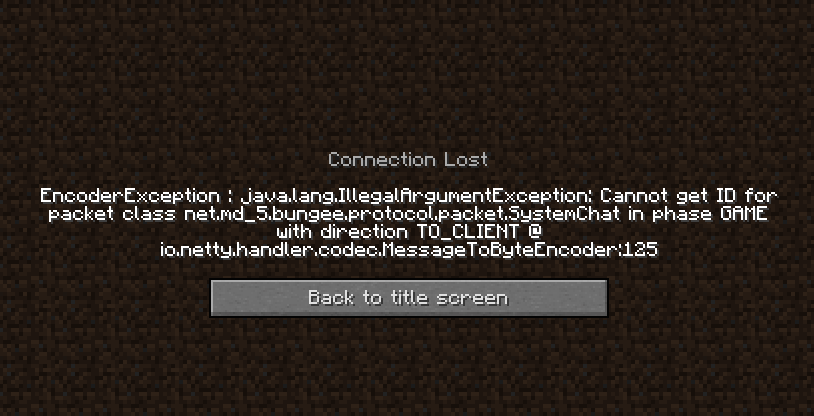 This can be caused by a faulty ViaVersion update, its folder cache or you have online mode set incorrectly on the proxy. - Update your ViaVersion, ViaBackwards and ViaRewind plugin to the latest update if you have them installed on the servers they need to be updated on, such as just the proxy or just the backend servers. - Go to the plugins folder and delete these three folders from that directory. Rebooting will regenerate them and get you connected again with no problems. - Go to your proxy configuration file and set the online-mode to false instead of true. Only do this if you are running a offline mode network and have a plugin like AuthMe installed. **Do not do this without talking to us first.** --- ##### **"Kick whilst connecting to x: Unknown data... forget to enable?"** 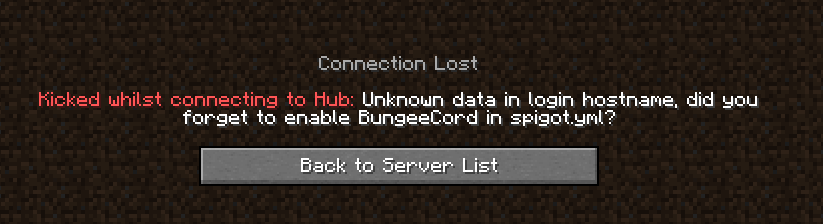 This means that you need to go into **spigot.yml** on the server that is showing this message and update the line **bungeecord: false** to **bungeecord: true**.  --- ##### **"Server is online mode!"** **** Go into **server.properties** on the server that is showing this message and update the line **online-mode=true** to **online-mode=false**.  --- ##### **"Unexpected packet received during login process!"**  This is caused by **proxy-protocol** or **haproxy-protocol** being set to **false** instead of **true** in: - **BungeeCord** - config.yml  - **Velocity** - velocity.toml  This error can also be caused by the Velocity **forwarding.secret** not being set properly in: - For 1.19 servers and above, go to the config folder > paper-global.yml. - For anything below, find the paper.yml in the root directory. 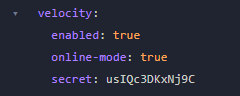 --- ##### **"Exception in thread "main"... "Server x (priority x) is not defined"**  Simple one to solve. In BungeeCord and Velocity, you have the servers which players can join and the priority in which they join if one is down, like the below: 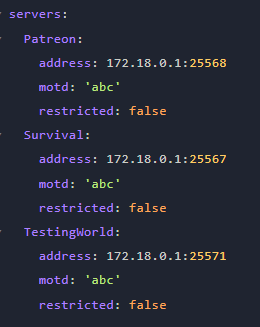  Now, as we can see, Survival will be the first server players join. If Survival is down or restarting, players will be forced over to Patreon in this example, unless it's whitelisted or permission blocked from joining. Now, If I type "lobby" into the priorities and that **server name** isn't specified in the **servers:** list, you will get this error. It's basically saying "Server **X** does not exist, why are you defining it as a priority as I can't send players there... I don't even know what **X** is!" You are telling the config file what each server is, what IP it has and what the MOTD is. If it is missing from servers, **don't specify it** in the **priorities**. --- ##### **"Internal Exception: ...DecoderException:.... Cannot Invoke..."** 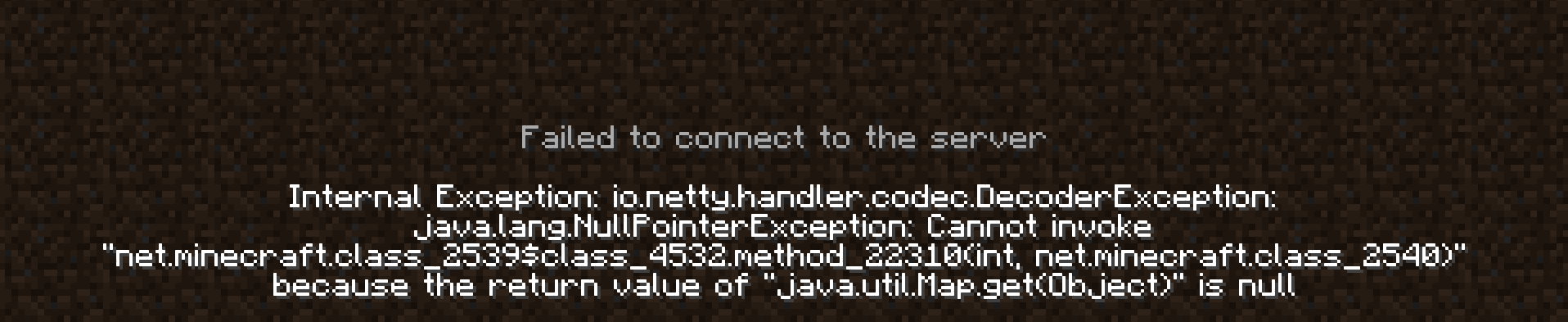 This is applicable to servers with proxy protocol turned on or off and the connection settings being incorrectly configured when using Anti-DDoS providers such as TCPShield. If you are running a Fabric modded server using TCPShield with the TCPShield fork on Github - [https://github.com/totorewa/tcpshield-fabric](https://github.com/totorewa/tcpshield-fabric "https://github.com/totorewa/tcpshield-fabric") - You will need to make sure that the proxy protocol toggle is **turned off** as it acts exactly like the plugin. You have the toggle off when the plugins installed, so by process of elimination, the .jar of the TCPShield's fabric mod acts in the same manner. 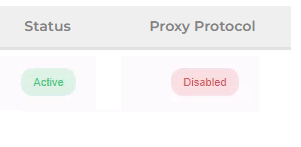 --- ##### **"java.lang.RuntimeException: Unable to access address of buffer"** We would recommend checking you are running the right Java version before diagnosing further. In Pterodactyl, check the dropdown in the "Startup" tab and check the "Docker Image". **RuntimeException** is normally caused by Java failing to run a class which doesn't exist in earlier/later versions of Java. 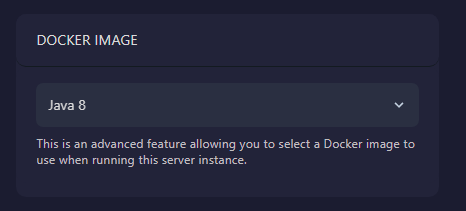 --- ##### **"Internal Exception: ... DecoderException.... legacy:fml|hs"**  This is caused by a plugin on your proxy kicking players who are loading clients with Forge or Fabric mods. If you don't have your own proxy jar coded or your own plugin for the proxy handling player joins, please see some of the below solutions: - We've found out that on **BungeeCord**, this is caused by the plugin **BetterUtils.jar**. This can also be named **BungeeUtils.jar** and this has been made by Golfing8, the WineSpigot developer. For the configuration, it makes a folder called "BetterUtils" in your proxy plugins folder. You can stop this from occurring by disabling the line **Forge > get-mods-from-players** line.  --- ##### **"A backend server isn't reachable but it's in the config.yml"** This one presumes that: - The firewall has been checked and the ports are open internally for that servers port. - The proxy has been properly setup with the right settings to send them there. - The backend server has been set to bungeecord: true and online-mode: false. - You have whitelist turned off or you have whitelisted yourself before joining. Ok, this is a super annoying issue by BungeeCord (Or any alternative to this such as FlameCord) and for some reason the proxy is **super incompetent** in actually telling you the fault is your **player version.** An example would be: - BungeeCord Proxy, a Hub & a Factions server. The proxy does not have the Via plugins. - The Hub server has ViaVersion, ViaBackwards or ViaRewind and the server version is 1.8. - The Factions server does not have any of the Via plugins and the server version is 1.8. Try and do **/server Factions**. See how it shows you typing the command in the Proxy console but the Hub and Factions console showing nothing? Yep, welcome to the absolute stupidity of BungeeCord. It doesn't detect and catch a players version is the issue. Turns out, this is an actual feature to disable logging like this... **helpful**. 🤦♀️ You can see below, nothing in the consoles.  Upload the right **Via**Versions, and you'll be able to join! Typical! This is also **SUPER** annoying if you are on Factions and trying to get to Hub, and let's say the Hub doesn't have the **Via** plugins... you get the stupidly idiotic message "You're already connected to this server!"  The error means you are on **Factions**, **trying to reconnect** to **Factions** because the **Hub** isn't **accessible**. What you want to do is actually go from **Factions** and get to the **Hub**. There's no error for this, see below: **Proxy?** No error:  **Hub?** Just chilling, no error:  **NOT HELPFUL.** Hopefully this clears up any confusion. Velocity mitigates this issue by telling you where you are trying to travel from and to in the proxies console. If you see yourself instantly connecting to **Factions** on join and doing **/server Hub** doesn't send you there or the proxy never shows "Hub has connected", this means you are stuck on Factions and need **Via** on the Hub.  --- ##### **"Incorrectly configured address... AnnotatedConnectException"****Running WineSpigot?** Before you jump to conclusions thinking it is the firewall and saying "I can't join but someone else can!" **HALT**. Join on 1.8, it will fix it immediately. It's **not** your firewall, it's **not** your configuration. It's extremely misleading.
**Step 1** - Ask the team to check firewall and make sure the port is open. Our normal installations and migrations include the ports 25566:25580 open internally ready to be connected to. If you get timed out when trying to reach other ones like 25581, we need to update your interface rules. **Step 2** - Check you've properly configured the server in config.yml for BungeeCord or config.toml for Velocity. --- ##### **"\[TAB\] \[WARN\] ViaVersion returned unknown protocol version ###."** Update the TAB plugin. That's literally it. It means TAB can't read the version the player is joining on and kicks them. 